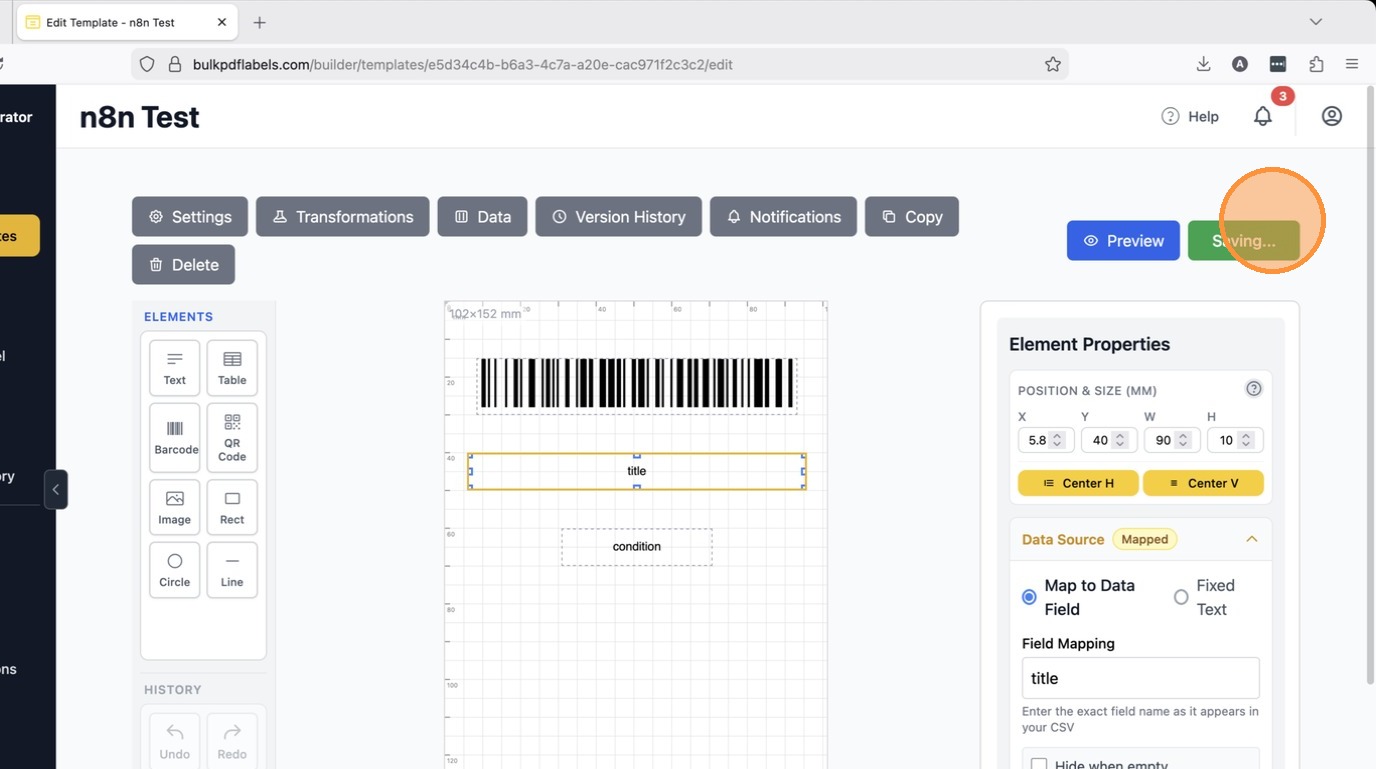
If you need to map fields that are capitalized or don't want to use automatic snake casing of field names. This is used to ensure data mapping via API is easier and eliminates whitespace issues with JSON or CSV imports. You can turn this template setting on or off.
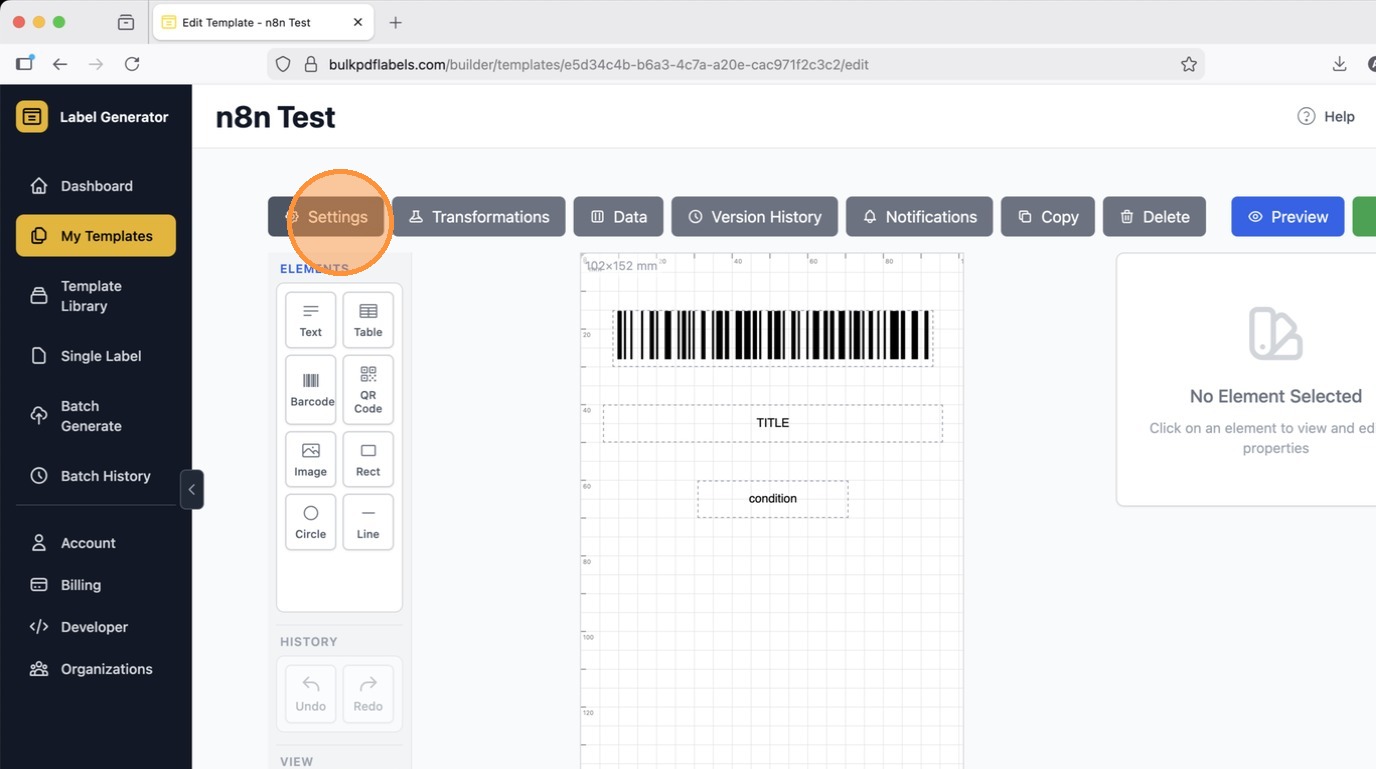
Open your template in the editor.
Click on settings
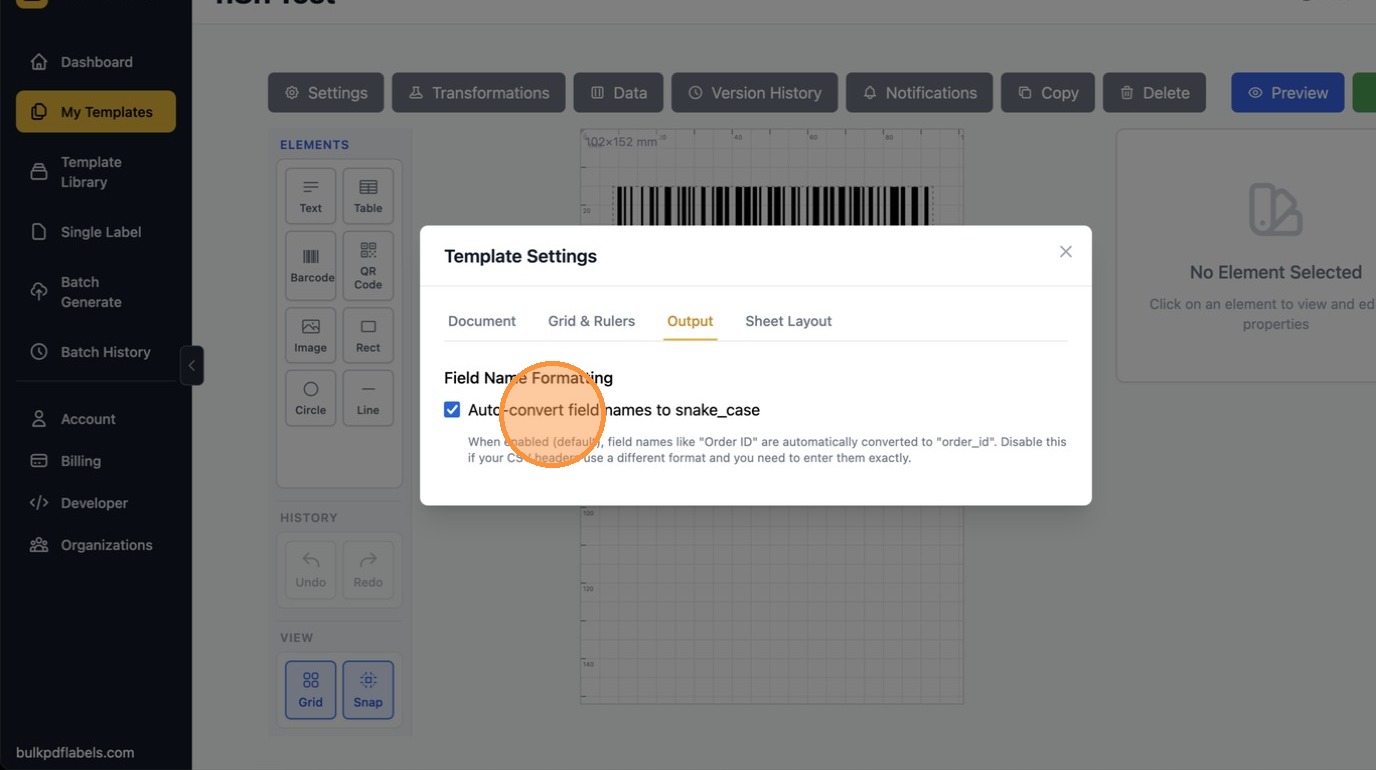
Go to the Output tab, then Uncheck "Auto-convert field names to snake_case" to disable the conversion. By default your data fields are converted to lowercase, and an underscore is converted to spaces automatically as you type.
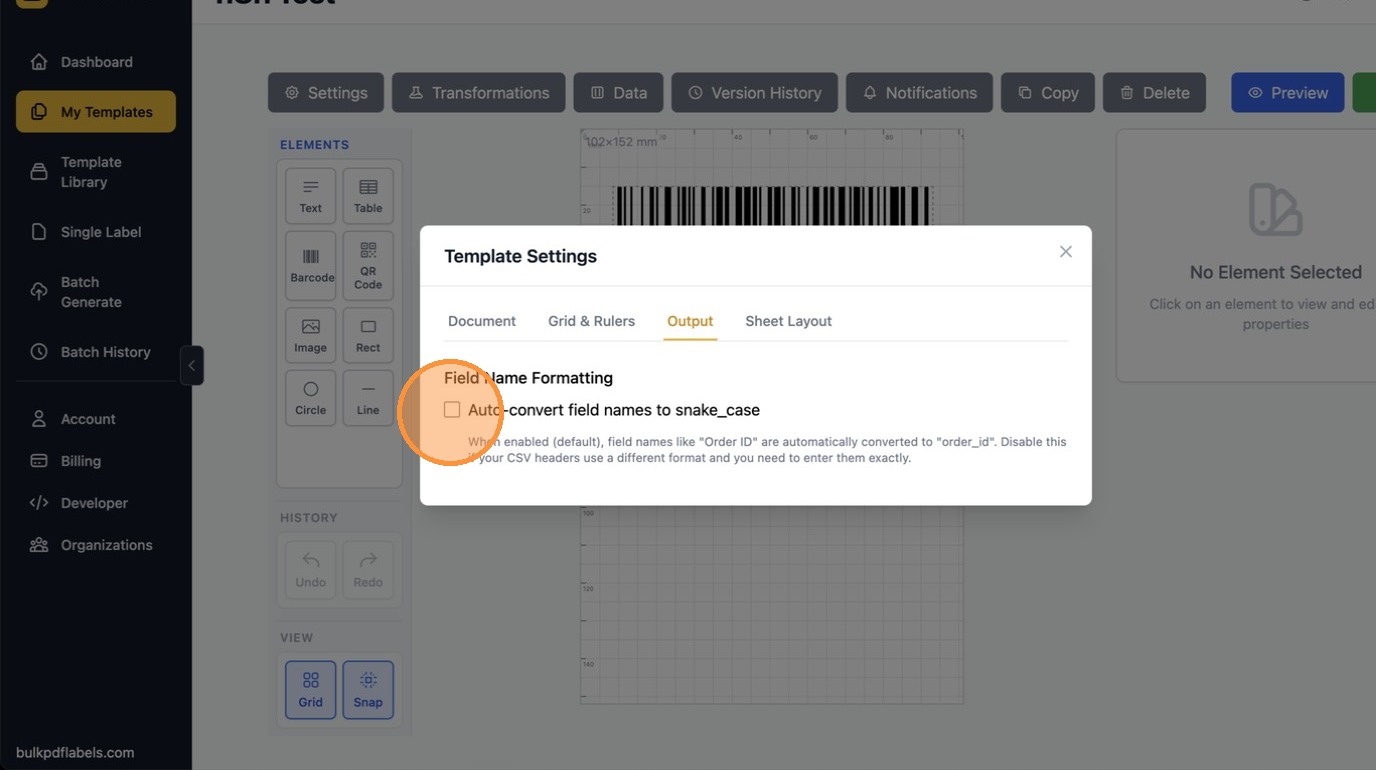
Auto snake case disabled.
Once disabled, you can use data fields that are UPPERCASE or have spaces in them if your input spreadsheet cannot be customized.
You can now update your data field mapping to all caps.
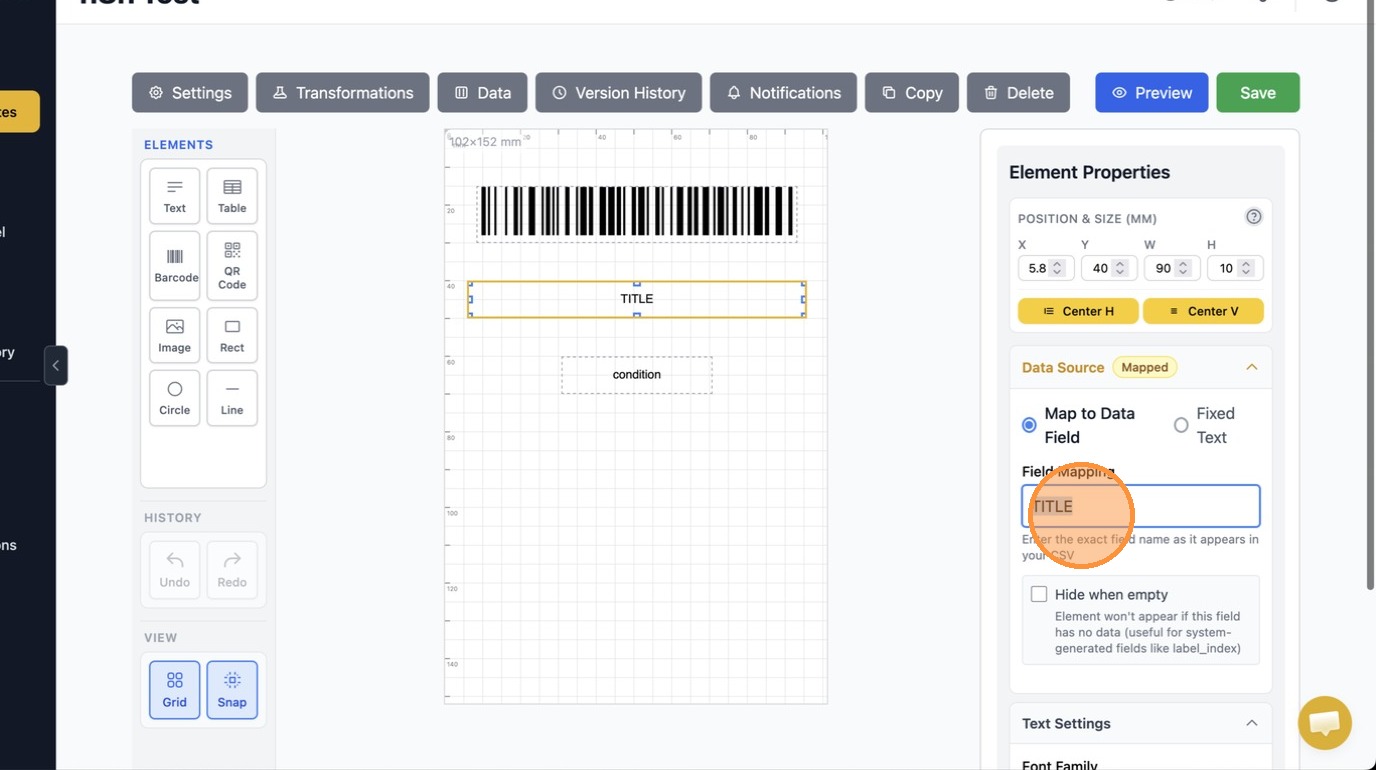
Click "Save" to persist the snake case setting and your field mapping updates. You can enable or disable this setting on your template at any time. If you plan to create pdf labels in bulk via API it is recommended to keep the snake case setting enabled by default.